85243 85243 |
 35212 35212 |
|
|
||
|
|
|||||||
| Welcome to the Exploding Garrmondo Weiner Interactive Swiss Army Penis. |
|
GFF is a community of gaming and music enthusiasts. We have a team of dedicated moderators, constant member-organized activities, and plenty of custom features, including our unique journal system. If this is your first visit, be sure to check out the FAQ or our GFWiki. You will have to register before you can post. Membership is completely free (and gets rid of the pesky advertisement unit underneath this message).
|
 |
|
|
Thread Tools |
 Member 98 Level 35.79 Mar 2006 
|
Small Glare on HDTV
After moving back my HDTV to my new shelf, I noticed two small, minor but nontheless noticible spots on the top left corner of the screen. The spots only show during bright, blue-ish colors (ie a sky), but I see them, and I'd like to find out how to get rid of them.
You should be able to make out the two spots on the top left screen in this photo. Spoiler:
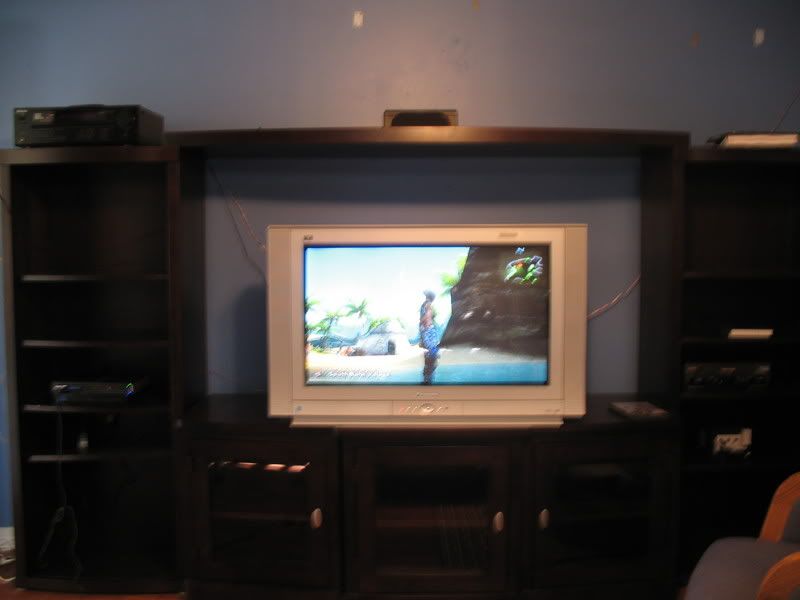
One possible problem I read was that there might be a magnet or two on the screen. I took a pic of how my systems and players are currently set up... Spoiler:
But I don't notice anything too different about the placement of my things than how it was before. About the only thing touching the TV is the speaker wire, but I'm not sure if that's causing the problem. Please give me all the ideas you have. This TV is probably past its warranty and it cost a bundle. Thanks. How ya doing, buddy? 
|
Member 98 Level 35.79 Mar 2006
|
This is it right here.
http://cgi.ebay.com/PANASONIC-CT-30W...em330048176176 There's nowhere I can't reach. |
Member 98 Level 35.79 Mar 2006
|
Yeah, it does make a sort of twanging sound (basically like turning a lamp switch on), 4 of them in fact. So you're saying the problem should fix itself over time? It's been about a day so far, I noticed it yesterday.
So the electrical demagnetising device is something you hook up to the TV? If you think that could fix the problem, I'd like to know where I can get one. Best Buy? Circuit City? Also, for those of you who couldn't make out the glares, I circled them here. They look sort of like grayish fingerprints, and they are present in other games and TV shows (under certain bright colors). 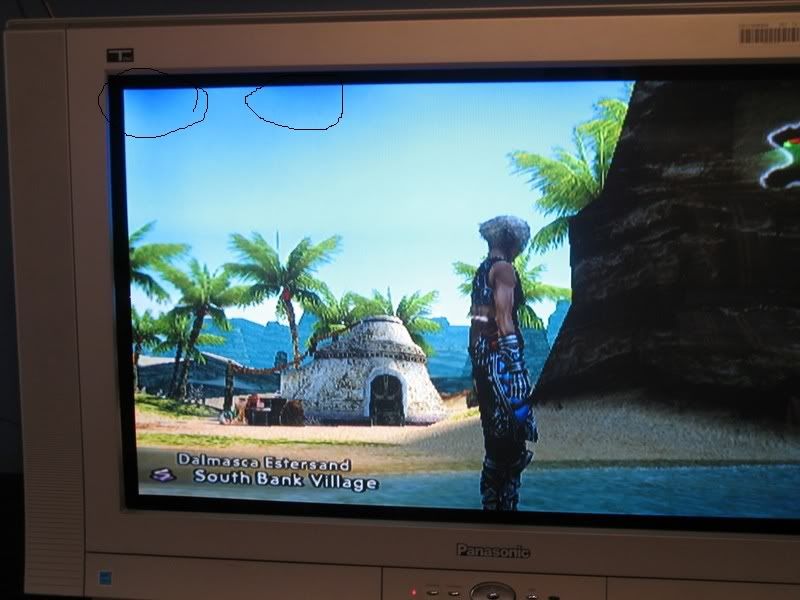 This thing is sticky, and I don't like it. I don't appreciate it. |
Member 98 Level 35.79 Mar 2006
|
Heh, not likely I'll try that (I don't even know what kind of magnet that is, or how to even get one). Based on yours and Metal's ideas, what I should do is move the Home Theater receiver away from the TV (it's on the top left of the HDTV, which coincidentaly is where the smudges are), then give it a few days in which the problem should fix over time, according to you.
I'll still try to find that device you mentioned, though hopefully I won't get some odd stares if I ask around Best Buy or Brandsmart USA. How ya doing, buddy? |
Member 98 Level 35.79 Mar 2006
|
Power Cycling is rapidly turning the TV on and off? I did do something similar to that once, when I was experiencing a far uglier shade of purple while playing God of War. It went away pretty fast.
By the way, slightly off topic, but I've had this doohikey connected to my Receiver for a while, but I was always wondering exactly what it was for. Spoiler:
Anyway, the receiver is likely the culprit since it's at the top left of my TV (where the smudges are), so I set it on the floor. I'll post if there's any change. EDIT: Nothing immediate, though I was told I had to give it a few days. Maybe the shades are a little duller, but who can tell. The only other devices on the top left of my TV are my home theater speakers, but it isn't likely that they are the culprits since they're even further away from my set then they were originally (the center speaker was placed right on top of my TV). I was speaking idiomatically.
Last edited by Soldier; Nov 11, 2006 at 03:57 PM.
|
Member 98 Level 35.79 Mar 2006
|
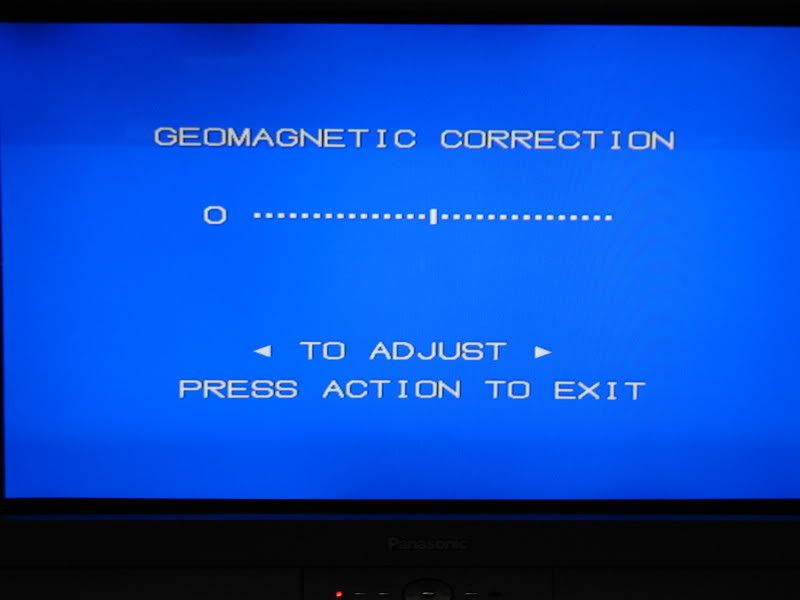
Funny story. As soon as I wake up (which was about 10 min ago), I suddenly remembered that my TV had an option called "Geomagnetic Correction".
Spoiler:
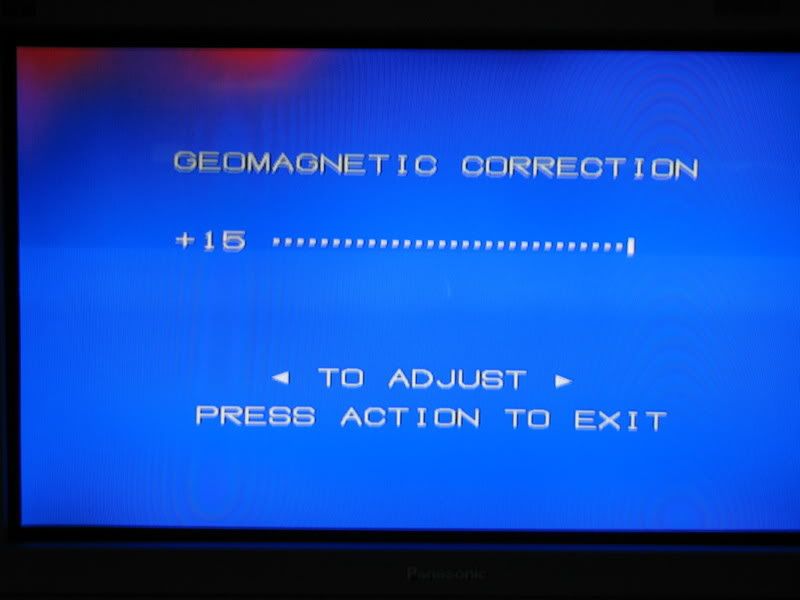
I've seen this before but had no idea what to make of it, but your theory of magnetic interferences made me recall this feature. First I tried setting it all the way to the right... Spoiler:
And as you can see, the two blotches I mentioned are much more apparent. So I then set it all the way to the left.... Spoiler:
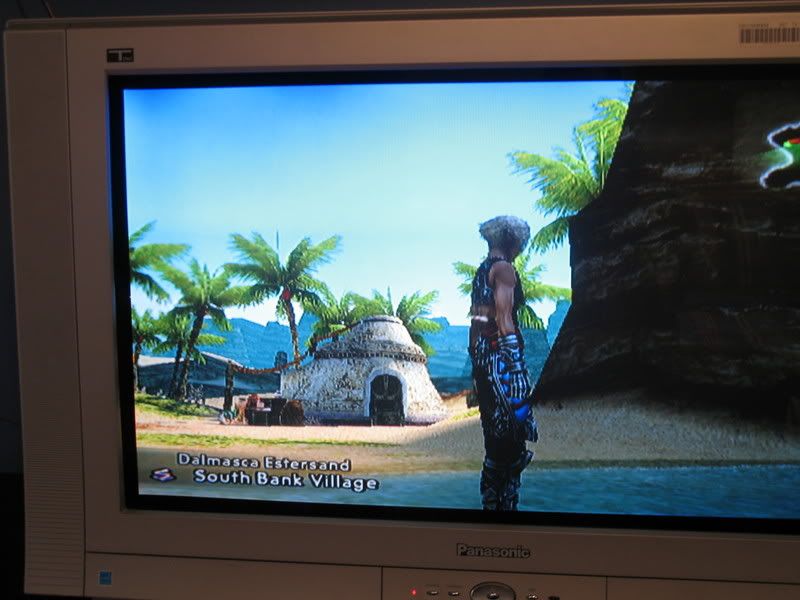
And the blotches seem to disappear entirely. I fired up the same scene from FFXII, and I couldn't notice the spots at all. So before I celebrate taking care of a problem that may or may not have taken care of itself, are there any disadvantages to having the feature set like that? Should I readjust it later to see if the TV still fixed the blotches, or just leave it that way? Most amazing jew boots |
Member 98 Level 35.79 Mar 2006
|
The correction method removed the spots on the top left, but then made a less noticible-but-still-there spot appear on the top right. Hardly visible in FFXII, but pretty easy to spot in Shadow of the Colossus. So I moved it a few arrows to the right to try to balance it out, but you can still spot a bit of the spots if you focus hard enough. But I'm not concerned, since you've also confirmed that they'll disappear entirely in a few days or so.
Thinking back, the most likely culprit for these glares were the power drills the floor guys were using, since my TV was put on the hallway where they did most of the work. I just hope they're gone by the time the PS3 hits. FELIPE NO |
Member 98 Level 35.79 Mar 2006
|
Well it's launch day, and the glare hasn't disappeared. Using the Geomagnetic Correction helps to remove it, but then it causes another glare to appear on the top right. It's possible to balance out the two, but I'll still see a little bit of one or both regardless.
Can someone tell me a little more about the electrical demagnetising device, where I can find one, how much they usually go for, and if it would correct the problem instantly, or it's not a guarantee? Or should I still wait it out some more and see if the TV merely fixes itself? What, you don't want my bikini-clad body? |
Member 98 Level 35.79 Mar 2006
|
Keep in mind the purple glare in the last pic is when I turn the setting all the way up. The actual glare is more of a fingerprint-like smudge. Now if you are referring to the latter, I'm not sure if calling Panasonic can help the situation since A) I've had it for a little over a year, and B) I purchased the set at Brandsmart USA. I'll give it a shot, but I'm not sure if it'll matter at this point.
EDIT: I contacted my manufacturer, which said that my warranty covers parts but not labor. They gave me the number of a repair shop, but it'll cost $120 just for them to pick it up. The price to fix the problem is undetermined. I'm not fond of this option, so I want to look into the demagnetising device if it's a cheaper alternative. Jam it back in, in the dark.
Last edited by Soldier; Nov 17, 2006 at 05:23 PM.
|
Member 98 Level 35.79 Mar 2006
|
Wait, is that the device Ulysses mentioned? Is it difficult for me to use it myself, or will the instructions make it simple? I'll definetely purchase it if it can fix my TV.
The other alternative is to find an LCD set that's about the same size as my old one (but with 720p as a bonus), but at a price mostly accomodated by how much I can get off the TV (about $500. I'm willing to go as high as $800). Most amazing jew boots |
Member 98 Level 35.79 Mar 2006
|
I definetely want to give it a try. The set is still plenty good aside from those spots. However, Spatula told me that I could probably buy something like that for a slightly cheaper price at Wal-Mart. Think any stores sell this item? If not I'll buy it right away on Ebay.
This thing is sticky, and I don't like it. I don't appreciate it. |
Member 98 Level 35.79 Mar 2006
|
I'll check in both Wal-Mart and Radioshack tommorow then. If I'm out of luck I'll buy it on Ebay. The shipping is pricey but I'll still save a ton of money and a ton of headahce (I just can't stop staring knowing it's there).
Or if you see the item for cheaper on Ebay, do please tell me. But thanks a lot either way, this could be the solution I need. I am a dolphin, do you want me on your body? |


 Soldier