
 85243 85243 |
 35212 35212 |
|
|
||
|
|
|||||||
| Welcome to the Exploding Garrmondo Weiner Interactive Swiss Army Penis. |
|
GFF is a community of gaming and music enthusiasts. We have a team of dedicated moderators, constant member-organized activities, and plenty of custom features, including our unique journal system. If this is your first visit, be sure to check out the FAQ or our GFWiki. You will have to register before you can post. Membership is completely free (and gets rid of the pesky advertisement unit underneath this message).
|
 |
|
|
Thread Tools |
 Member 629 Level 46.64 Mar 2006 
|
Monitor Entering Sleep Mode Randomly
Okay, this started a few days ago. I came in after working out and bumped the mouse once as I passed by, to get it out of sleep mode (the Monitor). Well, there was no pop or click (which occurs when the monitor comes out of sleep mode), so I tried again. And again. Nothing was working. I had to reboot the computer, and it worked fine after that.
Following this, the problem occurred several more times. It either occurs across the night when the computer is idle for a while, or while I am watching a movie file on the computer (for example, I am watching House MD. It'll do it once every episode or two, requiring a reboot). I've disabled the powering-down feature on the monitor settings but it still does it, irregardless of activity. I've spoken to Enceph about this and he initially was inclined toward my video card being the problem. But he changed his mind once I mentioned that my monitor is about 5-6 years old. I've been thinking this might be its way of saying "I'm out, chief." But I don't want to blow a healthy amount of cash on a monitor if that isn't the problem. Any other recommendations, or do you guys think it's the monitor as well? If this were the video card, I'd get the Blue Screen of Death or something of the sort. But these movies hardly put a strain on my system. I play Rainbow Six: Vegas quite often on it as of late and that doesn't cause lock-ups or anything of the sort. Jam it back in, in the dark.
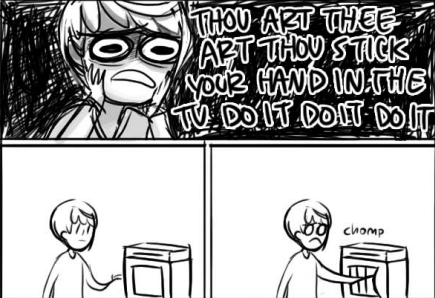
Hey, maybe you should try that thing Chie was talking about.
|
Member 629 Level 46.64 Mar 2006
|
Tried unplugging and replugging in the monitor with no response. I'm leaning towards it being a MoBo or (possibly) Power Supply issues.
There's nowhere I can't reach.
Hey, maybe you should try that thing Chie was talking about.
|
Member 629 Level 46.64 Mar 2006
|
If it was a monitor problem, I wouldn't be able to bring it back on, restart or not. The problem would progressively worsen, but it's been kind of steady as of late. I lack another computer to plug this into, unfortunately.
This thing is sticky, and I don't like it. I don't appreciate it.
Hey, maybe you should try that thing Chie was talking about.
|
Member 629 Level 46.64 Mar 2006
|
Ahahahah ='D It's the MoBo. Woke up today (Xmas mornin') and started up my desktop. And... What's this? There wasn't a beep for startup. My curiosity was piqued. So, down I went to look at the back of the tower beneath my desk. The green lights on the back of the USB part of the Mother Board were now Orange. Oh, happy days =D EVEN MY COMPUTER IS IN THE HOLIDAY SPIRIT.
It was all "sorry bud! It was me. I was just joshin' ya!" So, problem solved. Desktop won't start up due to a sour MoBo. RMA will be with me by tomorrow, I'll mail it the same day... And get a new MoBo. I am a dolphin, do you want me on your body?
Hey, maybe you should try that thing Chie was talking about.
|
Member 629 Level 46.64 Mar 2006
|
Well, it was an indicator that my MoBo was dying. And the final symptom was that one morning it wouldn't boot up.
I was speaking idiomatically.
Hey, maybe you should try that thing Chie was talking about.
|
Member 629 Level 46.64 Mar 2006
|
My mobo was only a year old when it fried =( Still, I'd do some more probing before going out and buying one off NewEgg.
What kind of toxic man-thing is happening now?
Hey, maybe you should try that thing Chie was talking about.
|


 Gechmir