For those having port forwarding/router/GameSpy frustrations: try using Tunngle. It's a program that is currently in beta that is similar to Hamachi, but it works for Borderlands. The only drawback right now is it's only in German, but a translation is being worked on for English and probably other languages as well.
Me and my friends managed to play for four hours last night with no hiccups, no port forwarding, and no dicking around with routers.
How to get Borderland's working with Tunngle:
Step 1: Register for a beta account
here.
Step 2: Download the latest version of the software
here.
Supported operating systems:
Windows XP 32Bit/64Bit
Windows Vista 32Bit/64Bit
Windows 7 RC 32Bit/64Bit
Step 3: Install the software. During Setup you may be prompted to select what type of Network you're using for Tunngle, I chose 'Home', though you should select whatever is applicable. You will have to restart your computer once installation is complete.
Step 4: Run that shit. You'll be confronted with this screen:
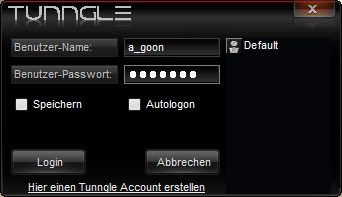
Put in your Username and Password and hit Login.
Step 5: After it goes through a bunch of loading in a language you probably don't understand you'll be staring at this window:
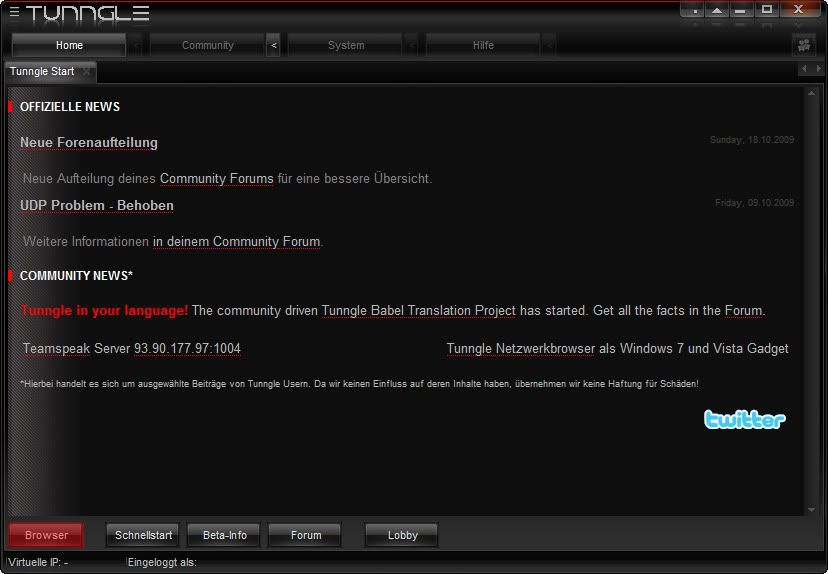
Hit 'Browser', which I've highlighted.
Step 6: Navigate to the Borderlands room in the browser and join by double-clicking:
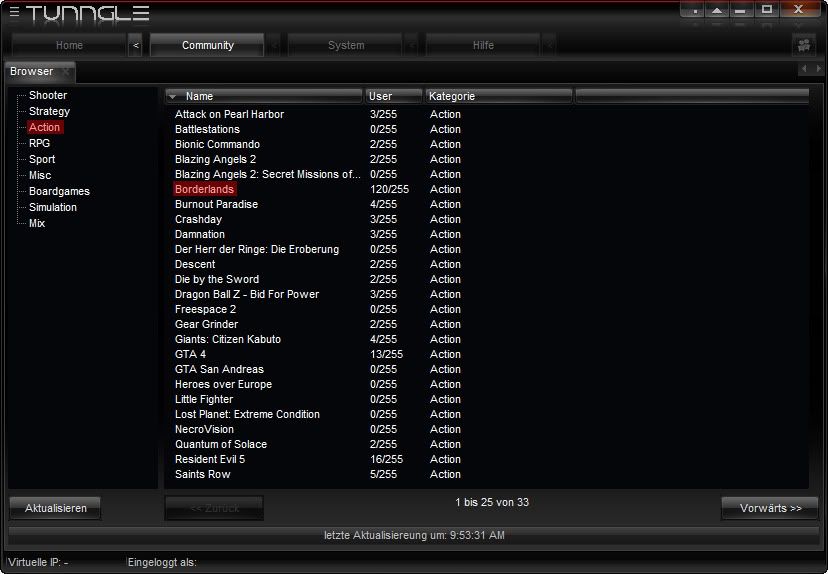 Step 7:
 Start up Borderlands with Tunngle running in the background and enjoy the game through virtual LAN:
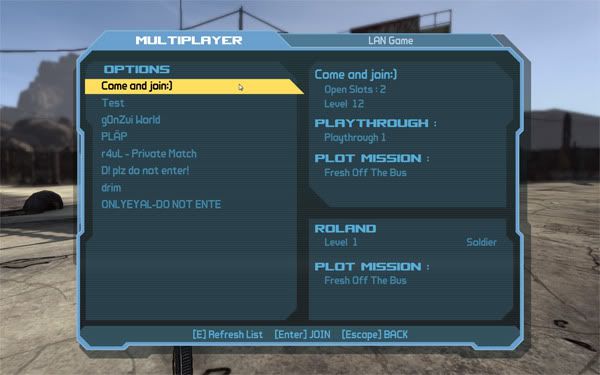 Note:
Note: You don't have to be in the room designated for the game, everyone just has to join the same room. Currently the option to create your own rooms isn't available, for now they are taking suggestions on rooms to add on their forums. If you want to play a private game with friends just hunt around for an empty room to drop into, or join a room that isn't related to Borderlands so the chances of someone stumbling into your game isn't as likely.

 85243
85243 35212
35212


 Grawl
Grawl