|
Originally Posted by Magic
How do you find out if a case's USB ports will work with a particular motherboard? I've got four USB ports on the front of my Lian-Li case, but they've been useless for me since they don't have the right connectors for my ASUS motherboard. I, too, would love to be able to plug some of my peripherals into the front of my computer.
|
Well what do the connectors look like? Worse case scenario is that connector that goes to the motherboard are all split up into single pins. Happened to me once while building my dad's computer (its a good thing to have a well written instruction manual.)
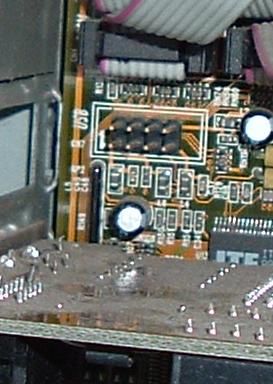
But anyway, two things need to be present, a available connection on the motherboard. It'll look like this (it could have 7 or 8 pins on it, but it almost always has the acronym USB written next to it.)
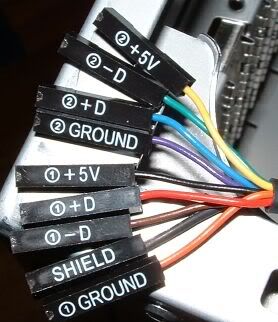
And then you need a connector header cable from the USB ports you mentioned. The end of the cable could be split up into individual wires or a single header connector. It will look something like this:
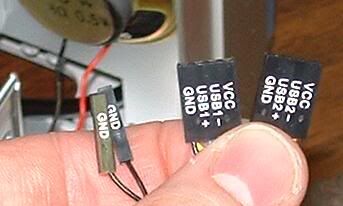
or this
How do they go in depends on the USB header standard the motherboard uses. Your best bet is to look up your motherboard model number (
using cpuz is a quick way to figuring that out.)Then just go to the respective site that manufacters your motherboard and hopefully a online manual exists. If you still can't figure it out just drop me a PM.
Jam it back in, in the dark.

 85243
85243 35212
35212


 Similar Threads


 Kairyu